
A JWT decoder in the system tray, tips and tricks from our main partner Please-Open-IT to enhance your productivity setting up KeycCloak.
With our customers, we decode JWT tokens dozens of times a day. We were tired of opening jwt.io each time so we built a simple tool with quick access from the system tray.
Download
Just download and launch the jar file : jwt_decode.jar
How to use
Just copy a JWT token in your clipboard. Then, from the system tray you have :
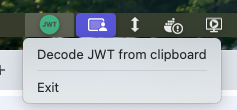
And you’re done :
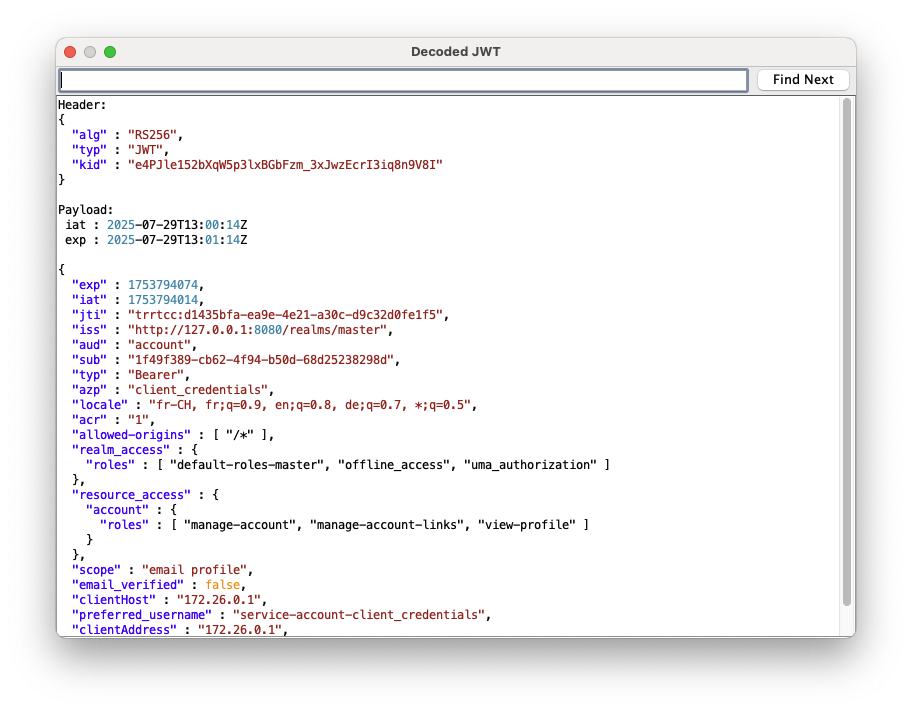
Note : : “iat” and “exp” fields are decoded and added on top of the json body
No signature verification is done.
How it works
JWT Token is split in parts ("."), and directly decoded from Base64. No JWT library is used there :
byte[] headerBytes = Base64.getDecoder().decode(clipboardText.split("\.")[0]);
byte[] payloadBytes = Base64.getDecoder().decode(clipboardText.split("\.")[1]);

String decodedHeader = new String(headerBytes, StandardCharsets.UTF_8);
String decodedPayload = new String(payloadBytes, StandardCharsets.UTF_8);
A custom pretty print for JSON is done by hand :
// JSON :
// "key":
java.util.regex.Pattern keyPattern = java.util.regex.Pattern.compile(""(\\.|[^"])*"(?=\s*:)");
// String value : "value"
java.util.regex.Pattern stringPattern = java.util.regex.Pattern.compile(":\s*"(\\.|[^"])*"");
// Number value
java.util.regex.Pattern numberPattern = java.util.regex.Pattern.compile(":\s*(-?\d+(\.\d+)?)");
// Boolean or null
java.util.regex.Pattern boolNullPattern = java.util.regex.Pattern.compile(":\s*(true|false|null)");
And… we’re done !
Sources
https://github.com/please-openit/jwt-decoder-system-tray

Please-open.it is JANUA.FR's main partner. Specialised in IAM (security, access control, identity management) and Open Source integration, settled in 2004 by IAM industry veteran, Open-IAM (Janua.fr) offers high value-added products and services to businesses and governements with a concern for identity management and Open Source components.
Janua.fr, a trademark of Open-IAM is an IT services and business consultancy company, created in July, 2004, by SUN Microsystems identity management industry veterans. Janua IAM activity spinned-off in August 2025 to Open-IAM.
- Protect Your Privacy: Secondary Email in Keycloak - 29 mai 2026
- Keycloak OAuth2-Proxy Configuration Generator: Simplify Your Reverse Proxy Authentication Setup - 26 janvier 2026
- Authentication Proxy: Simplify Authentication in Any Application - 24 décembre 2025